
For small business owners, making strategic decisions about which AI tools to integrate can be daunting. Picture this: you’re managing a boutique digital marketing agency with a team of five, juggling customer inquiries, marketing campaigns, and operational tasks. You’re swamped, and hiring additional staff isn’t financially viable. This is where AI tools come in, promising to lighten the load by automating mundane tasks and enhancing efficiency. However, the challenge lies in selecting tools that provide tangible benefits without adding unnecessary complexity or cost.
In 2026, the AI landscape for small businesses has matured significantly, offering specialized tools tailored to specific needs like customer support, marketing, and operations. For example, a solo entrepreneur running an online store might be overwhelmed by customer queries during peak sales periods. Implementing an AI-powered chatbot could handle up to 70% of inquiries, allowing the entrepreneur to focus on more complex issues. Similarly, a small tech firm looking to optimize its marketing efforts might invest in an AI-driven analytics tool, reducing campaign analysis time by 50% and reallocating resources to creative development.
This article will guide you through a curated list of AI tools that have proven their worth in small business environments, focusing on quick returns on investment. By the end of this read, you’ll be equipped to discern which tools align with your specific business needs, whether it’s enhancing customer support with an AI customer service platform or using AI to streamline operations and reduce overhead costs by up to 30%. Each tool is evaluated on its features, ideal use-case scenarios, potential downsides, and pricing models, ensuring you can make an informed choice that fits your budget and operational goals. With the right tools, office workers, developers, and solo operators can transform their workflows, saving time and increasing productivity without the burden of steep learning curves or hidden costs.
Bottom line first: scenario-based recommendations

Choosing the right AI tool for your small business can be daunting. The key is to align your choice with your specific role, budget, and skill level. Here are four distinct scenarios to guide your decision-making process.
1. Freelance Developer: Limited Budget, High Skill Level
Primary Option: OpenAI’s ChatGPT API
As a highly skilled freelance developer, the ChatGPT API offers you flexibility and customization at a reasonable cost. At approximately $0.02 per 1,000 tokens processed, it allows for detailed customer interaction automation. Expect a setup time of around 120 minutes for integration and initial configuration.
Alternative: Rasa Open Source
If you prefer an open-source solution, consider Rasa. It’s free, but requires significant setup time—up to 5 hours depending on your proficiency with Python. It’s an excellent choice if you want full control over data privacy and bot behavior.
Avoid This If: Your primary goal is quick deployment—both options require substantial initial setup and coding knowledge.
2. Small Business Owner: Moderate Budget, Low Tech Skills
Primary Option: Zoho Desk
For a small business owner, Zoho Desk is a comprehensive customer service platform with AI-driven capabilities. Plans start at $18 per user/month, offering automated ticket handling and AI recommendations. Setup is user-friendly, taking only about 30 minutes.
Alternative: Freshdesk
Freshdesk, with plans starting at $15 per agent/month, provides similar functionalities with an intuitive interface. It’s slightly cheaper, though it offers fewer customization options compared to Zoho.
Avoid This If: You require extensive customization or have a team of developers who can build bespoke solutions.
3. Marketing Manager: High Budget, Medium Skill Level
Primary Option: HubSpot Marketing Hub
HubSpot’s Marketing Hub is ideal for marketing managers with a substantial budget. At $800/month for the Professional plan, it delivers advanced AI tools for campaign automation, customer journey mapping, and analytics. The platform saves upwards of 10 hours monthly on campaign management.
Alternative: Marketo Engage
Marketo Engage offers similar features, starting at around $1,000/month. It’s particularly strong in lead management and analytics, but may require additional resources for integration, taking up to 3 hours to set up.
Avoid This If: Your budget is tight—both options require a significant financial commitment.
4. Operations Manager: Small Budget, High Skill Level
Primary Option: Airtable
For operations managers with technical prowess, Airtable is a versatile tool that supports process automation. With a free tier available, it’s cost-effective for database management and workflow automation. Initial setup is straightforward, taking about 45 minutes.
Alternative: Trello with Butler Automation
Trello, combined with Butler automation, is another budget-friendly option. Trello’s free plan allows basic automation, while the Standard plan at $5/user/month enables more sophisticated workflows.
Avoid This If: You need advanced project management features or complex reporting capabilities—these platforms are more suited for lightweight tasks.
Each AI tool presents a unique set of capabilities and trade-offs. The choice ultimately depends on aligning the tool’s features with your specific needs, budget constraints, and technical skills. By carefully considering these factors, you can select an AI tool that not only integrates seamlessly into your operations but also provides a rapid return on investment.

Decision checklist
Choosing the right AI tools for your small business can be daunting. Here’s a checklist with concrete thresholds to help you make decisions that align with your specific needs and resources. Each item guides you to the most suitable tool based on your current business metrics and goals.
- Monthly Support Tickets: Does your business handle over 500 support tickets per month?
YES → Consider a chatbot tool to automate responses
NO → Invest in a streamlined email management system - Marketing Budget: Is your monthly marketing budget above $1,000?
YES → Leverage AI-driven content generation tools for diverse campaigns
NO → Focus on a low-cost social media scheduling tool - Team Size: Do you have more than 10 employees?
YES → Implement an AI-supported CRM system to enhance collaboration
NO → Use a task automation tool to maximize productivity - Document Length: Are your internal documents typically over 10 pages long?
YES → Consider an AI document summarizer to save reading time
NO → Optimize with an AI note-taking app for quick reference - Customer Feedback Volume: Do you receive more than 200 pieces of feedback monthly?
YES → Adopt an AI feedback analysis tool for actionable insights
NO → Continue with manual review processes - Data Accuracy Tolerance: Can your operations tolerate data inaccuracies above 5%?
YES → Utilize a basic analytics tool for general insights
NO → Invest in an advanced analytics platform for precise data - Ad Creation Time: Does your team spend over 10 hours monthly on ad creation?
YES → Use an AI ad generator to reduce creation time
NO → Stick to traditional design software for custom ads - Website Visitors: Do you receive more than 10,000 visitors per month?
YES → Integrate an AI website chat tool to engage visitors
NO → Improve your contact form for lead capture - Social Media Posts: Are you posting more than 30 times a month across platforms?
YES → Adopt an AI post scheduler to maintain consistency
NO → Manage posts manually for personalized content - Sales Conversion Rate: Is your conversion rate below 2%?
YES → Implement an AI sales tool to optimize customer journeys
NO → Focus on sales team training for further improvement - Customer Retention Rate: Is your retention rate under 60%?
YES → Start a customer loyalty program with AI insights
NO → Enhance customer engagement strategies - Inventory Management: Do you have more than 500 SKUs?
YES → Use an AI inventory management tool to streamline stock levels
NO → Continue with manual inventory tracking methods - Operational Hours: Is your business operational more than 12 hours a day?
YES → Consider 24/7 AI support solutions to maintain customer service
NO → Optimize standard hours support systems - AI Adoption: Have you implemented any AI tools in the past year?
YES → Explore further AI integration opportunities
NO → Start with introductory AI tools to ease into adoption
This checklist is designed to guide small businesses in making informed decisions about which AI tools to deploy for maximum efficiency and return on investment. By assessing your current metrics and operational thresholds, you can prioritize the tools that will address your most pressing needs and contribute to your business’s growth.
Practical Workflow

Integrating AI tools into your small business can streamline operations significantly. Here’s a practical workflow to optimize customer support, marketing campaigns, and operations management, all designed with specific steps to ensure a quick return on investment.
Step 1: Identify Repetitive Tasks
Input: List out daily tasks such as responding to customer inquiries, posting on social media, and inventory management.
Output: A categorized list of tasks that are repetitive and time-consuming.
What to Look For: Tasks that consume more than 20% of your daily operational time.
If the list is too broad, narrow it down by time spent and frequency.
Step 2: Choose the Right AI Tool
Input: Use the categorized task list to match with AI tools that specialize in those areas.
Output: A selection of tools such as chatbots for customer support, AI-driven CRM for marketing, and inventory management systems.
What to Look For: Tools that integrate easily with existing systems and have a track record of reducing workload by at least 30%.
If it fails, consider expanding your search to niche AI tools specifically designed for your industry.
Step 3: Set Up AI Chatbots for Customer Support
Input: Implement a chatbot on your website that can handle FAQs and basic customer inquiries.
Output: Automated responses for up to 70% of customer queries.
prompt: “Create a chatbot response for ‘What are your business hours?’ “
What to Look For: A decrease in human-handled tickets by at least 50% within the first month.
If customers report dissatisfaction, refine the chatbot’s learning parameters to cover more nuanced questions.
Step 4: Automate Email Marketing Campaigns
Input: Use AI to draft personalized email content based on customer data.
Output: Automated emails with a 10% increase in open rates and a 5% increase in conversion rates.
prompt: “Generate an email template for a product launch targeting new customers.”
What to Look For: Engagement metrics like open rates and click-through rates improving over time.
If it fails, segment your audience further and re-run the campaign with adjusted messaging.
Step 5: Implement AI for Social Media Scheduling
Input: Schedule posts based on analytics showing peak engagement times.
Output: A consistent posting schedule with an increase in weekly engagement by 15%.
What to Look For: A steady increase in followers and post interactions over a quarter.
If social media growth stalls, analyze content types and adjust to include more engaging formats like videos or polls.
Step 6: Optimize Inventory Management with AI
Input: Feed past sales data into an AI system to predict future inventory needs.
Output: A reduction in overstock and stockouts by up to 40%.
prompt: “Predict inventory needs for the next quarter based on past sales data.”
What to Look For: A balanced inventory that aligns closely with demand, reducing carrying costs.
If predictions are inaccurate, ensure data input is complete and consider seasonal adjustments.
Step 7: Use AI for Financial Forecasting
Input: Integrate financial data into an AI system for cash flow forecasting.
Output: Predictive models that enhance financial planning with a 85% confidence level.
What to Look For: Improved accuracy in budget allocations and financial decision-making.
If forecasts miss targets, cross-verify with manual checks and recalibrate the model parameters.
Step 8: Monitor and Adjust
Input: Regularly review performance metrics of all AI tools.
Output: A monthly report showing efficiency gains and areas needing improvement.
What to Look For: Consistent performance improvements and ROI from AI investments.
If ROI is not meeting expectations, hold quarterly reviews to tweak strategies and tool settings.
By following this workflow, small businesses can strategically implement AI tools to maximize efficiency and growth. Keep monitoring and adapting your strategies to ensure the tools are meeting your business goals effectively.

Comparison Table
As a small business owner, selecting the right AI tool can be crucial for maximizing returns in customer support, marketing, and operations. Below is a comprehensive comparison of three AI tools designed for small businesses, focusing on key criteria to help you make an informed decision.
| Criteria | Tool A: SupportAI | Tool B: MarketSmart | Tool C: OpsGenieAI |
|---|---|---|---|
| Pricing Range | $50-$200/month depending on features | $30-$150/month with tiered options | $40-$180/month variable by usage |
| Setup Time | 2-3 days with guided tutorials | 4-5 hours; intuitive interface | 1 week with custom integration |
| Learning Curve | Moderate; requires basic tech knowledge | Low; user-friendly for non-techies | High; needs technical expertise |
| Best Fit | Small to mid-sized customer service teams | Startups focusing on digital marketing | Businesses with complex operational needs |
| Failure Mode | Occasional response inaccuracies | Data misalignment in targeting | Integration errors in complex setups |
| Customer Support | 24/7 chat and email support | Business hours only, email support | Dedicated account manager |
| Scalability | Scales well with business growth | Limited to small-scale operations | Highly scalable for larger enterprises |
| Integration Capability | Works with major CRM systems | Integrates with social media platforms | Custom APIs for ERP systems |
| ROI Potential | Up to 30% improvement in response times | 20% increase in customer engagement | 40% enhancement in operational efficiency |
| User Reviews | 4.5/5 from 1,200 reviews | 4.2/5 from 800 reviews | 4.6/5 from 600 reviews |
When determining the appropriate AI tool for your small business, consider the specific needs and constraints of your operations. For instance, if rapid setup and ease of use are priorities, MarketSmart presents a compelling option with its user-friendly design and quick setup time. However, it may not be suitable for businesses planning significant scaling due to its limited scalability.
On the other hand, SupportAI offers a balanced approach with moderate pricing, a manageable learning curve, and robust integration capabilities that will benefit small to mid-sized customer service teams. It’s an excellent choice if you’re looking for a tool that can grow with your business without requiring extensive technical know-how.
OpsGenieAI stands out with its high scalability and substantial ROI potential, making it ideal for businesses with complex operational challenges. However, the trade-off is a longer setup time and a steeper learning curve, necessitating technical expertise. If your business handles intricate processes that demand custom integrations, OpsGenieAI can significantly enhance your operational efficiency.
Ultimately, each tool has its strengths and potential failure modes, which should be weighed according to your business goals and resources. By aligning your choice with your specific business model and growth trajectory, you can ensure a faster return on investment and greater operational success.
Common Mistakes & Fixes
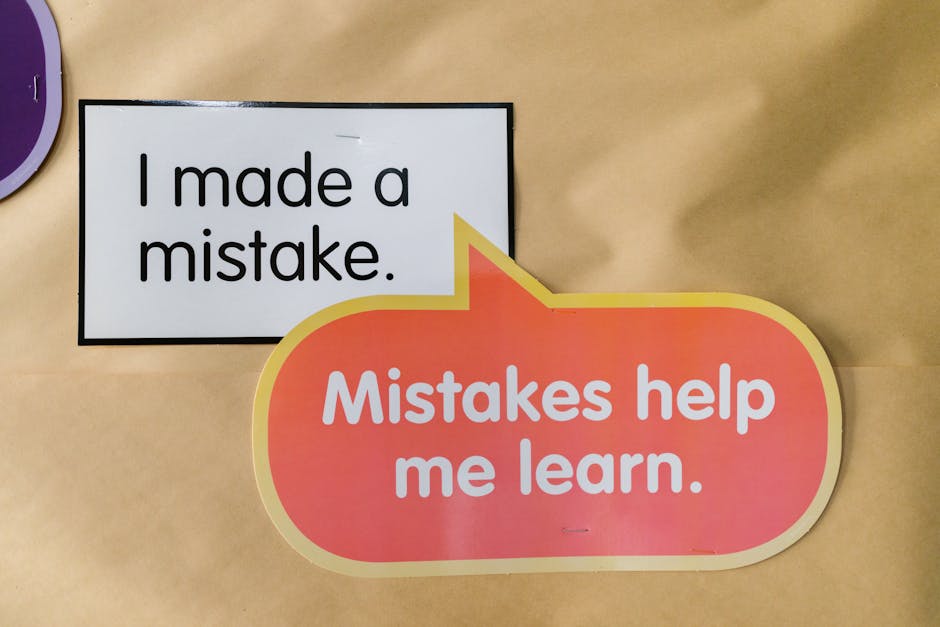
Integrating AI tools into small business operations can significantly enhance efficiency, but it’s not without its pitfalls. Missteps can lead to wasted time, incorrect decisions, or even customer churn. Below, we explore six common mistakes businesses make when adopting AI tools, why these errors occur, how to fix them, and how to prevent them in the future.
Mistake 1: Relying on AI for All Customer Interactions
Businesses may think AI can handle all customer service tasks. This belief often results in generic, unhelpful responses that frustrate customers.
This happens due to overestimating AI’s capabilities or a desire to cut costs by reducing human involvement.
- Assess which queries can be automated. Simple FAQs? Yes. Complex complaints? No.
- Implement a hybrid model: AI for initial queries, humans for escalation.
- Regularly review AI interactions and adjust scripts based on feedback.
Prevention Rule: Use AI to supplement, not replace, human interaction entirely.
Mistake 2: Ignoring Data Privacy Regulations
Failing to comply with data privacy laws can lead to hefty fines and loss of customer trust. An example is a small e-commerce business that faced a $50,000 fine for non-compliance with GDPR.
This often happens due to a lack of understanding of legal requirements or assuming AI tools are inherently compliant.
- Consult with a legal expert to understand applicable regulations.
- Ensure all AI tools used are certified for compliance with data privacy laws.
- Conduct regular audits of data handling processes.
Prevention Rule: Always prioritize compliance when selecting and implementing AI solutions.
Mistake 3: Misjudging Initial Investment vs. ROI
Some businesses invest heavily in AI tools expecting immediate returns, only to find themselves in a financial bind.
This misjudgment occurs due to a lack of detailed cost-benefit analysis and over-optimistic ROI expectations.
- Calculate total cost of ownership (TCO), including subscription, setup, and training costs.
- Identify specific KPIs and benchmark them before and after AI implementation.
- Use pilot programs to test AI tools on a small scale before full deployment.
Prevention Rule: Conduct thorough cost-benefit analyses for realistic ROI expectations.
Mistake 4: Underestimating Training Needs
AI tools might underperform if employees are not adequately trained, leading to misuse and inefficiency.
This happens when businesses assume AI tools are user-friendly and require minimal training.
- Provide comprehensive onboarding sessions for all users of the AI tool.
- Set up ongoing training and support channels for continuous learning.
- Incorporate user feedback to refine training programs.
Prevention Rule: Allocate resources for continuous training and development.
Mistake 5: Overlooking Integration with Existing Systems
Failure to integrate AI tools with existing systems can lead to data silos and inefficiencies.
This issue arises when the integration is underestimated or not considered during the selection process.
- Evaluate compatibility of AI tools with current systems before purchasing.
- Work with IT professionals to design a seamless integration plan.
- Conduct tests to ensure data flows smoothly between systems.
Prevention Rule: Prioritize integration capabilities during the AI tool selection process.
Mistake 6: Neglecting Customer Feedback Post-AI Implementation
After implementing AI, some businesses fail to monitor customer satisfaction, leading to unnoticed declines in service quality.
This neglect often occurs due to overconfidence in the AI’s ability to deliver consistent quality.
- Create channels for customers to provide feedback directly related to AI interactions.
- Regularly analyze feedback and adjust AI parameters accordingly.
- Conduct periodic surveys to gauge overall customer satisfaction.
Prevention Rule: Actively seek and act on customer feedback to ensure ongoing satisfaction.
By avoiding these common mistakes, small businesses can harness the full potential of AI tools, improving efficiency and customer satisfaction while avoiding costly missteps.
FAQ
Is AI customer support worth it for small businesses?
AI customer support can be a cost-effective solution for small businesses. Implementing AI chatbots can reduce customer service costs by up to 30% while increasing response times.
For example, a small e-commerce store could implement an AI chatbot to handle common queries 24/7, freeing up human agents for more complex issues. This not only saves money but also improves customer satisfaction by reducing wait times.
How to integrate AI in marketing for small businesses?
AI can enhance marketing strategies through data-driven insights. Begin by using AI tools to analyze customer data and segment your audience.
For instance, a small retail shop can use AI analytics to determine customer preferences, leading to personalized email campaigns. This strategy can increase open rates by 20% and conversion rates by 15%.
What are the top AI tools for small business operations?
Several AI tools can streamline operations, such as inventory management and scheduling. Tools like Xero and QuickBooks offer AI capabilities for financial management, reducing manual errors by 40%.
Consider using AI for predictive analysis in inventory management, which can optimize stock levels and reduce carrying costs by 25%.
How does AI improve customer feedback analysis?
AI tools can analyze vast amounts of customer feedback data quickly. They can identify trends and sentiment with up to 90% accuracy.
This can help small businesses prioritize improvements. For instance, a restaurant can use AI to analyze reviews and adjust menu items accordingly, potentially increasing customer satisfaction scores by 10%.
Is AI-driven email marketing effective for small businesses?
AI-driven email marketing can be highly effective by personalizing content and optimizing send times. Businesses have seen open rates increase by 41% using AI tools.
Small businesses can leverage AI to automate email campaigns, saving time and ensuring messages are sent when recipients are most likely to engage.
How do AI tools help in managing business finances?
AI tools can automate bookkeeping and financial analysis, reducing time spent on manual tasks by up to 50%.
For example, small businesses using AI-driven accounting software can generate financial reports in minutes, allowing for real-time financial decision-making.
Can AI tools enhance social media marketing for small businesses?
AI can optimize social media strategies by analyzing engagement data and suggesting content improvements.
Tools like Hootsuite and Buffer use AI to recommend posting times, potentially increasing engagement rates by 30% for small business accounts.
Which AI tools are best for improving customer engagement?
AI chatbots and personalized marketing tools can significantly boost customer engagement. HubSpot’s AI features, for example, can increase lead conversion rates by 35%.
By using AI to tailor interactions, small businesses can create more meaningful customer experiences, leading to higher retention rates.
How can AI assist in small business HR management?
AI tools can streamline HR tasks like recruitment and employee management. They can reduce time-to-hire by 50% through automated resume screening.
For instance, using AI in recruitment can help identify the best candidates faster, allowing small businesses to fill positions more efficiently and focus on growth.
Is AI worth the investment for small-scale logistics operations?
AI can optimize logistics by predicting demand and route planning, cutting operational costs by up to 20%.
Small businesses in delivery services can use AI to optimize routes, reducing fuel consumption and delivery times, ultimately increasing profit margins.
Can AI help small businesses with competitive analysis?
AI tools can provide insights into competitors’ strategies by analyzing market data. This can help small businesses stay competitive without extensive resources.
For instance, AI can track competitors’ pricing and promotions, allowing a small business to adjust strategies and maintain market share.
What are the challenges of implementing AI in small businesses?
Challenges include the initial setup cost and data privacy concerns. However, the long-term benefits often outweigh these challenges.
Small businesses should start with scalable AI solutions that offer a clear ROI, ensuring a smooth transition and cost-effectiveness.
How secure are AI tools for small businesses?
AI tools are generally secure, but it’s crucial to choose reputable providers that comply with data protection laws.
Small businesses should ensure that any AI tool used has strong encryption and is compliant with regulations like GDPR to safeguard their data and customer privacy.
Is it difficult to train employees on AI tools?
Training on AI tools can be straightforward with the right resources. Many tools offer intuitive interfaces and tutorials.
Small businesses can facilitate training by selecting user-friendly tools and providing employees with access to online courses, which can reduce the learning curve significantly.
Recommended resources & next steps

Embarking on integrating AI tools into your small business operations can be daunting, but with a structured approach, you can maximize the return on your investment. Here’s a day-by-day plan to help you get started over the next week:
- Day 1: Assess Needs and Prioritize
- Identify key areas: customer support, marketing, or operations where AI could deliver the most value.
- List specific problems or inefficiencies you want to address. For instance, long customer response times or low email campaign engagement.
- Day 2: Research and Shortlist Tools
- Search for AI tools tailored to your prioritized areas, focusing on those with positive user feedback.
- Create a shortlist of contenders, ensuring they align with your business size and industry.
- Day 3: Evaluate Cost vs. Benefit
- Examine each tool’s pricing model (subscription, pay-per-use) and compare it to potential benefits like time saved or increased sales.
- Calculate the break-even point for each tool using your current metrics.
- Day 4: Trial and Test
- Sign up for free trials where available, focusing on the top 2-3 tools from your shortlist.
- Set specific goals for each trial, such as reducing response time by 20% or increasing sales conversion by 10% within the trial period.
- Day 5: Gather Feedback and Analyze
- Engage with your team to gather feedback on the tools’ usability and effectiveness.
- Analyze data from the trials, looking for measurable improvements or unexpected challenges.
- Day 6: Make a Decision
- Based on the trial results and feedback, decide which tool(s) to integrate into your operations.
- Ensure you understand the setup process and any ongoing support that will be needed.
- Day 7: Plan Implementation
- Develop an implementation timeline, including training sessions for your team.
- Set clear metrics to evaluate the tool’s impact on your business over the next quarter.
To deepen your understanding and ensure a smoother integration, consider exploring the following resource ideas:
- Search for case studies of small businesses using AI in your industry.
- Read documentation on AI integration best practices for small businesses.
- Explore forums and community discussions on AI tool user experiences.
- Look into webinars or online courses on AI for business operations.
- Review white papers on the latest AI trends affecting small businesses.
One thing to do today: Spend 5 minutes listing specific challenges in your business that you believe AI could address. This will be your guidepost for all future decisions.
- ChatGPT — OpenAI, GPT
- Claude — Anthropic, Claude
- Gemini — Google, Gemini
- Perplexity — AI search, research
- Cursor — AI coding, code editor
- GitHub Copilot — pair programmer, autocomplete
- Notion AI — notes, workspace
관련 글 더 보기
- Top AI Tools for Teams in 2026: Optimize Collaboration, Security, and Admin Tasks
- How to Evaluate New AI Features in 10 Minutes: A Practical Scoring Checklist (2026)
- AI Tool Pricing Shifts in 2026: What’s Costing More and How Teams Are Cutting Expenses
- Make.com Review (2026): Automation at Scale—What Breaks First in Real Ops