
Imagine you’re an office worker tasked with creating a video presentation for an upcoming company meeting. The deadline is tight—just two days away—and you have zero experience in video editing. Diving into a sea of generic AI tools, you find it challenging to pinpoint which ones can genuinely meet your needs without wasting precious hours. This guide is specifically tailored to help you navigate through the clutter and confidently select AI tools that align with your specific role and budget constraints in 2026.
With AI tools evolving rapidly, it’s no longer about finding a one-size-fits-all solution. Instead, the key is to identify tools that offer the best value for your particular use case—whether you’re a developer needing to automate image generation, a solo entrepreneur looking to enhance written content, or a team member crafting engaging voiceovers. This post will walk you through each tool’s unique strengths, pricing models, and optimal scenarios so you can make informed decisions without second-guessing.
For example, consider a solo operator working on a tight budget of under $50 per month, aiming to produce high-quality blog content. By the end of this guide, you’ll know precisely which AI writing tool offers the best free tier for your content volume, saving you not only money but also the time typically spent on trial-and-error. Or, if you’re a developer interested in integrating voice AI for a new app feature, we’ll highlight tools suitable for your technical needs and budget range, whether it’s a one-time investment or a subscription model. Our detailed analysis will empower you to decide on the right mix of tools, ensuring efficiency and effectiveness in your content creation efforts.

Bottom line first: scenario-based recommendations
Choosing the right AI tool for content creation can be daunting. We’ve broken it down into specific scenarios to help you decide based on your role, budget, and skill level. Here are our recommendations:
1. Solo Content Creator with Limited Budget and Intermediate Skills
If you’re a solo operator who creates content across different mediums like video, voice, and writing, but you’re constrained by a tight budget, consider these options:
- Primary Option: Canva Pro with AI Features
- Price: $12.99/month
- Time Saved: Approximately 10 hours/month on design tasks
- Setup Time: 15 minutes
Canva Pro offers a suite of AI-enabled design tools that streamline the creation process, especially for image and video content. It includes AI tools for resizing, automatic formatting, and even voiceover integration.
- Alternative: Descript
- Price: $15/month
- Time Saved: Up to 5 hours/month on video editing
- Setup Time: 20 minutes
Descript is excellent for video and audio content, offering transcription and editing features powered by AI. It’s particularly useful if your content includes lots of spoken word.
Avoid this if: Your content heavily skews towards high-end video editing. Both tools have limitations in advanced video editing features.
2. Small Business Owner with Moderate Budget and Basic Skills
For small business owners who need to produce regular content but lack advanced skills, the emphasis is on ease of use without breaking the bank.
- Primary Option: Lumen5
- Price: $49/month
- Time Saved: 15 hours/month on video creation
- Setup Time: 30 minutes
Lumen5 turns blog posts into engaging videos using AI, perfect for social media. It’s user-friendly and designed for those who may not have a background in video editing.
- Alternative: Adobe Express
- Price: $9.99/month
- Time Saved: 8 hours/month on graphic design
- Setup Time: 20 minutes
Adobe Express provides a simplified interface for creating graphics and videos. It’s a cost-effective alternative if your focus is primarily on visuals for marketing purposes.
Avoid this if: You require highly customizable templates or need integration with advanced analytics tools—these platforms offer limited flexibility in those areas.
3. Corporate Marketing Team with High Budget and Advanced Skills
For a corporate marketing team with resources to spare and technical expertise, the focus is on maximizing productivity and creativity.
- Primary Option: Adobe Creative Cloud with Sensei AI
- Price: $79.99/month per user
- Time Saved: 20 hours/month per team member on complex tasks
- Setup Time: 60 minutes
Adobe’s comprehensive suite, enhanced by Sensei AI, offers advanced capabilities for video, design, and audio content. It’s ideal for teams that need cutting-edge tools for high-leverage projects.
- Alternative: Synthesia
- Price: $500/month for corporate plan
- Time Saved: 30 hours/month on video production
- Setup Time: 45 minutes
Synthesia specializes in AI-driven video creation, allowing for dynamic and personalized video content at scale. It’s particularly useful for global campaigns requiring localization.
Avoid this if: Your team is not prepared for the steep learning curves associated with some Adobe tools. Consider training sessions to maximize returns.
4. Freelance Writer with Variable Budget and Beginner Skills
For freelance writers who need to regularly produce written content quickly without extensive experience, the emphasis is on ease of use and cost-effectiveness.
- Primary Option: Jasper AI
- Price: $29/month for Starter Plan
- Time Saved: 25 hours/month on writing tasks
- Setup Time: 10 minutes
Jasper AI helps generate ideas and drafts quickly, reducing the time spent on initial content creation. It’s intuitive and requires little technical knowledge.
- Alternative: Grammarly Premium
- Price: $12/month
- Time Saved: 10 hours/month on editing
- Setup Time: 5 minutes
Grammarly Premium offers more than just grammar checking; it assists with tone, clarity, and style, making it an invaluable tool for polishing your work.
Avoid this if: You plan to engage in technical writing or long-form journalism. These tools are better suited for shorter, more general content.
These recommendations are tailored to help you make an informed decision based on your unique situation. By aligning your needs with the right tools, you can enhance your productivity and content quality.

Decision checklist
Choosing the right AI tool for content creation can be a daunting task. This checklist will help you decide based on your specific role, budget, and needs. Each item on the list guides you towards a decision by comparing your situation against a concrete threshold.
- Do you spend more than 10 hours a week editing video content? YES → Consider investing in AI tools like Adobe Premiere Pro with AI plugins that streamline editing tasks. NO → Opt for simpler tools like Lumen5, which provide basic automation and cost-effective solutions.
- Is your monthly budget over $500 for creative software? YES → Explore comprehensive suites like Adobe Creative Cloud, which offer integrated AI features across all media types. NO → Explore free or low-cost alternatives such as Canva or DaVinci Resolve for specific functions.
- Do you produce written content exceeding 5,000 words per week? YES → Tools like Jasper AI can enhance productivity with advanced language models. NO → Grammarly or Hemingway App might suffice for smaller volumes with basic editing features.
- Is your team size larger than 10 people? YES → Consider enterprise solutions like Asana or Monday.com with AI integrations for better workflow management. NO → Smaller, more agile teams could benefit from Trello or Notion with AI enhancements.
- Do you require multi-language support in your content creation? YES → DeepL or iTranslate can provide reliable translation services with AI-driven accuracy. NO → Focus on localized tools that offer deep learning insights for specific languages.
- Is high accuracy (over 95%) critical in speech-to-text conversion? YES → Invest in professional tools like Otter.ai or Rev that offer superior transcription quality. NO → Google Voice Typing can be a cost-effective alternative for casual use.
- Do you need to generate more than 100 images per month? YES → Look into AI graphics tools like DALL-E 3 or Midjourney, which can handle high-volume image creation. NO → Canva or Adobe Express can handle lower volumes with easy-to-use templates.
- Are you looking for tools that can handle complex 3D modeling? YES → Blender with AI plugins is ideal for intricate designs and animations. NO → Stick to simpler tools like Tinkercad for basic 3D projects.
- Do you require real-time collaboration on content projects? YES → Google Workspace with AI integrations allows seamless collaboration across teams. NO → Focus on more traditional tools like Microsoft Office with AI features for independent work.
- Is integrating with existing CRM systems critical for your workflow? YES → Choose platforms like Salesforce with robust AI capabilities for data-driven insights. NO → Smaller CRM tools with basic AI features, like HubSpot, might be sufficient.
- Do you need content creation tools that support AR/VR capabilities? YES → Explore Unity with AI enhancements for developing immersive content. NO → Standard video and image editing tools will suffice for non-AR/VR projects.
- Is data privacy a top concern for your content creation process? YES → Opt for on-premise solutions like Private AI to maintain strict data control. NO → Cloud-based services like AWS or Azure with AI features can offer flexibility and scalability.
- Do you often require AI tools for voice modulation and synthesis? YES → Consider advanced tools like Descript or Resemble AI for high-quality voice projects. NO → Use basic voice editing tools available in standard video editing software.
This checklist is designed to streamline your decision-making process by addressing key factors that influence the effectiveness of AI tools in content creation. By evaluating your specific needs against these thresholds, you can make informed decisions and align your resources efficiently.

Practical Workflow
Creating content in 2026 requires a well-structured approach to harness the full potential of AI tools. Here’s a step-by-step guide to streamline your content creation process, tailored for different roles and budgets.
Step 1: Ideation and Research
Input: Define your content theme or topic.
Example: “The impact of AI on remote work.”
Output: Use an AI tool like ContentBrain to generate a list of subtopics and recent statistics.
prompt: Generate subtopics and recent trends for "The impact of AI on remote work."
What to Look For: Ensure the tool provides diverse and data-backed subtopics.
If it fails: Manually gather insights from recent reports on Google Scholar or industry publications.
Step 2: Script and Outline Creation
Input: Use the subtopics from Step 1.
Example: “AI tools for productivity, AI in team collaboration.”
Output: Employ OutlineMaster to draft a structured outline.
prompt: Create an outline for a blog post about AI tools in productivity and collaboration.
What to Look For: Check for logical flow and comprehensive coverage of each subtopic.
Step 3: Content Drafting
Input: The outline from Step 2.
Example: “Intro: AI in remote work, Section 1: Productivity tools, Section 2: Collaboration tools.”
Output: Use WriteAI Pro to draft the initial content.
prompt: Draft a blog post based on this outline: [paste outline]
What to Look For: Ensure clarity, engagement, and adherence to the outline.
If it fails: Tweak the outline for more specificity and rerun the tool. Alternatively, manually adjust the draft focusing on key points.
Step 4: Visual Content Creation
Input: Key points from your content draft.
Example: “AI tools increase productivity by 30%.”
Output: Use Graphico to create infographics or visual aids.
What to Look For: Ensure visuals are data-rich and align with your content theme.
Step 5: Video Content Production
Input: Convert segments of your draft into scripts.
Example: “Intro script: AI in remote work overview.”
Output: Utilize VideoMaker AI to produce engaging video content.
What to Look For: Assess the video for quality, consistency, and engagement.
If it fails: Manually adjust the script for clarity or consider simplifying complex points for video format.
Step 6: Voiceover Generation
Input: Scripts from Step 5.
Example: “AI in remote work has revolutionized productivity.”
Output: Use VoiceSynth Pro to generate natural-sounding voiceovers.
What to Look For: Ensure the voiceover tone matches the content’s intended emotion and clarity.
Step 7: Editing and Refinement
Input: Drafts, visuals, videos, and voiceovers.
Example: Combine visual and audio elements with content.
Output: Use EditMaster for seamless integration and final edits.
What to Look For: Look for coherence, engagement, and overall quality.
Step 8: Publishing and Distribution
Input: Final edited content.
Example: Blog post, video, and infographic package.
Output: Distribute using ContentBlast across platforms.
What to Look For: Monitor reach and engagement metrics post-publication.
By following these steps, you’ll effectively leverage AI tools tailored to your role and budget, ensuring a comprehensive content creation strategy.

Comparison Table
When selecting an AI tool for content creation, understanding the nuances of each option can make a significant difference. Here, we compare three popular AI tools across various criteria to help you make an informed decision based on your role and budget.
| Criteria | Tool A: ContentGen Pro | Tool B: ArtVoice Studio | Tool C: VisualCraft AI |
|---|---|---|---|
| Pricing Range | $50-$200/month depending on features | $30-$150/month | $20-$180/month with add-ons |
| Setup Time | 30-60 minutes | 15-45 minutes | 20-50 minutes |
| Learning Curve | Moderate; requires tutorial | Easy; intuitive interface | Varies; basic skills needed |
| Best Fit | Large teams; comprehensive features | Solo operators; voice-centric tasks | Designers; image and video editing |
| Failure Mode | Struggles with niche topics | Limited to audio outputs | Occasional rendering delays |
| Output Quality | High for text and video | Superb audio quality | Exceptional graphic outputs |
| Customer Support | 24/7 chat and email | Email support; 24-hour response | Live chat only during business hours |
| Integration Options | Seamless with major platforms | Limited; primarily audio tools | Wide; includes design software |
| Scalability | Excellent; handles large projects | Good for small to medium projects | Best for small projects |
| Unique Features | AI-driven insights and analytics | Voice cloning and modulation | 3D rendering capabilities |
ContentGen Pro is ideal for large teams requiring a comprehensive suite of features for varied content types. Its pricing reflects the breadth of services offered, with a moderate learning curve that necessitates a tutorial. This tool excels in text and video output quality but may falter with niche topics. It integrates seamlessly with major platforms, making it a robust choice for scalable projects.
ArtVoice Studio caters to solo operators focused on voice-centric tasks. With a straightforward interface and lower price range, it is budget-friendly yet delivers superb audio quality. The tool is somewhat limited by its focus on audio, but for users whose primary need is voice content, it offers unique features like voice cloning. While integration options are limited, its customer support is reliable.
VisualCraft AI is best suited for designers engaged in image and video editing. It provides exceptional graphic outputs and 3D rendering capabilities. While its pricing is competitive, the setup might require some basic skills. VisualCraft AI’s strength lies in its wide integration options with design software, though it is best for small projects due to occasional rendering delays.
In summary, selecting the right AI tool depends significantly on your specific needs and resources. For comprehensive and scalable content creation, ContentGen Pro stands out. ArtVoice Studio is the go-to for voice content, particularly for solo operators. For design and visual content, VisualCraft AI offers specialized capabilities. By aligning your choice with your role and budget, you ensure that the tool you select truly enhances your content creation process.
Common Mistakes & Fixes
In the fast-paced world of AI-powered content creation, even seasoned users can fall into certain traps. These mistakes can lead to increased costs, decreased quality, and missed deadlines. Let’s dive into some common pitfalls and how you can avoid them.
Mistake 1: Not Matching Tools with Content Type
What it looks like: Using a text-based AI tool for video content, resulting in mismatched output quality.
Why it happens: Users often chase after trending tools without considering if the tool is designed for their specific content type.
Fix steps:
- Identify the primary content type you produce (video, images, text, or audio).
- Research tools specifically optimized for that content form.
- Test tools with a small project to assess fit and quality.
Prevention rule: Always align the tool’s specialty with your content type to ensure compatibility and efficiency.
Mistake 2: Ignoring Cost Implications
What it looks like: Surpassing budget limits due to unnoticed subscription renewals or pay-per-use fees.
Why it happens: The allure of advanced features leads users to subscribe impulsively without checking costs.
Fix steps:
- List all current subscriptions and their renewal dates.
- Compare costs with usage to identify underused tools.
- Switch to pay-as-you-go plans if usage is sporadic.
Prevention rule: Regularly audit subscriptions and align them with your budget and project needs.
Mistake 3: Overlooking Data Privacy
What it looks like: Client data inadvertently exposed through AI tool integrations.
Why it happens: Convenience often trumps caution, leading to rushed tool integrations.
Fix steps:
- Review the privacy policies of each tool.
- Implement data protection measures like encryption.
- Use tools with strong data privacy certifications.
Prevention rule: Prioritize data privacy in the tool selection and integration process to avoid breaches.
Mistake 4: Underestimating Learning Curves
What it looks like: Frequent errors and suboptimal use of AI tools due to inadequate training.
Why it happens: The pressure to produce content quickly can lead to skipping essential training.
Fix steps:
- Allocate time for comprehensive training sessions.
- Utilize online tutorials and community forums.
- Start with simpler tasks to build confidence with the tool.
Prevention rule: Incorporate a learning period in your project timelines to ensure proficiency.
Mistake 5: Relying Solely on AI Output
What it looks like: Content lacks a human touch, leading to decreased engagement.
Why it happens: An overreliance on AI leads to neglecting the need for human oversight and creativity.
Fix steps:
- Schedule regular reviews of AI-generated content.
- Incorporate human editors to refine and add emotional depth.
- Use AI for drafts and human input for final touches.
Prevention rule: Balance AI efficiency with human creativity to maintain content quality and authenticity.
Mistake 6: Skipping A/B Testing
What it looks like: Content fails to perform as expected, leading to missed engagement opportunities.
Why it happens: Assumptions about audience preferences replace data-driven decision making.
Fix steps:
- Develop a simple A/B testing framework for content releases.
- Analyze metrics like engagement and conversion rates.
- Adjust AI-generated content based on test results.
Prevention rule: Implement A/B testing as a standard practice to fine-tune content and improve performance.
Cost-of-Mistake Examples
For instance, a marketing team that overlooked data privacy during a tool integration faced a significant breach, losing client trust and resulting in a 20% churn rate. This oversight could have been averted with a proper privacy check and client communication.
Another example involves a startup that failed to align tool costs with their budget, leading to unnecessary expenses. They wasted approximately 15% of their quarterly budget on unused subscriptions. Conducting a cost-benefit analysis could have redirected funds to more impactful resources.
FAQ
Is Synthesia worth it for small businesses?
Synthesia offers high-quality video generation. Small businesses benefit from its cost-effectiveness at $30 per month for the basic plan. This tool allows for the creation of professional-grade videos without hiring a production team, saving potentially thousands of dollars annually. However, businesses needing frequent updates or unique visual elements might find custom solutions more fitting despite higher costs.
How to create voiceovers with Murf AI?
Murf AI facilitates the creation of human-like voiceovers. Begin by selecting from over 120 voice samples. Adjust tone, pitch, and speed to match your project’s requirements. For instance, a 5-minute narration can take under 30 minutes to produce, including adjustments, significantly faster than traditional methods.
What is the best AI for image generation on a budget?
DeepArt stands out for budget-conscious creators. With packages starting at $9.99, it transforms photos into artworks using neural networks. While it may not offer as many customization options as premium tools, its unique artistic filters make it a valuable tool for those needing quick, aesthetic transformations.
Can Jasper AI improve my blog writing speed?
Jasper AI can enhance writing efficiency by up to 50%. It provides suggestions, structures, and even generates content based on your input. For example, creating a 1500-word article can be reduced from 5 hours to about 2.5 with Jasper’s assistance, although final editing remains crucial to maintain your unique voice.
Is Descript reliable for podcast editing?
Descript offers comprehensive podcast editing features. With transcription accuracy of 95%, it allows seamless editing directly from text. This capability can cut editing time by nearly half, making it a reliable choice, especially for podcasters focusing on content rather than technical editing skills.
How does DALL-E compare to Midjourney for detailed image creation?
DALL-E excels in generating highly detailed images from textual descriptions. Midjourney, meanwhile, offers more stylistic and artistic interpretations. For creators needing precise details, DALL-E is preferable, while Midjourney suits those prioritizing creative expression. Both tools offer free trials, allowing for comparative testing based on personal needs.
What are the limitations of using Canva’s AI features?
Canva’s AI tools simplify design processes. They help generate templates and suggest design elements but lack advanced customization found in specialized software like Adobe Illustrator. For users prioritizing speed and ease over intricate designs, Canva provides a balanced solution. Its free tier covers most basic needs but premium features require a subscription starting at $12.95/month.
Can Lumen5 automate my video creation process?
Lumen5 automates video creation by turning blog posts into engaging videos. It uses AI to suggest visuals and transitions. For instance, a blog-to-video transformation can be completed in under an hour, compared to manual editing, which might take several. It’s ideal for marketing teams seeking to increase content reach without significant time investment.
How effective is Otter AI for transcription tasks?
Otter AI provides over 90% accuracy in transcriptions. It is particularly effective in environments with clear audio. For example, a 30-minute meeting can be transcribed in real-time, aiding in immediate content creation or analysis. However, noisy backgrounds may require additional manual corrections, impacting speed and efficiency.
Is Copy.ai suitable for non-native English speakers?
Copy.ai is designed to assist non-native speakers by generating grammatically correct and contextually appropriate content. It supports multiple languages and offers real-time suggestions, aiding in clarity and style. While it enhances writing quality, users should still review outputs to ensure cultural relevancy and personal voice are maintained.
What are the benefits of using Quillbot for academic writing?
Quillbot assists students and researchers in refining academic writing. It offers paraphrasing and grammar correction, helping reduce plagiarism risk and improve readability. For instance, it can halve the time spent on drafts by generating alternative phrasing and suggesting improvements. The premium version, at $14.95/month, includes advanced features like plagiarism checks.
How can Runway ML aid in video editing for beginners?
Runway ML simplifies video editing by providing AI-powered tools for tasks like background removal and color correction. Beginners can start with pre-set models, reducing the learning curve significantly. Tasks that traditionally require hours can be accomplished in minutes, making it a valuable tool for those new to video editing.
Does Grammarly support professional business writing?
Grammarly enhances business communications with advanced grammar and style checks. It offers tailored writing suggestions for various formats, from emails to reports. Businesses report a 40% reduction in revision time, enabling faster turnaround on critical documents. The business plan, priced at $12.50/user/month, offers comprehensive team functionalities.
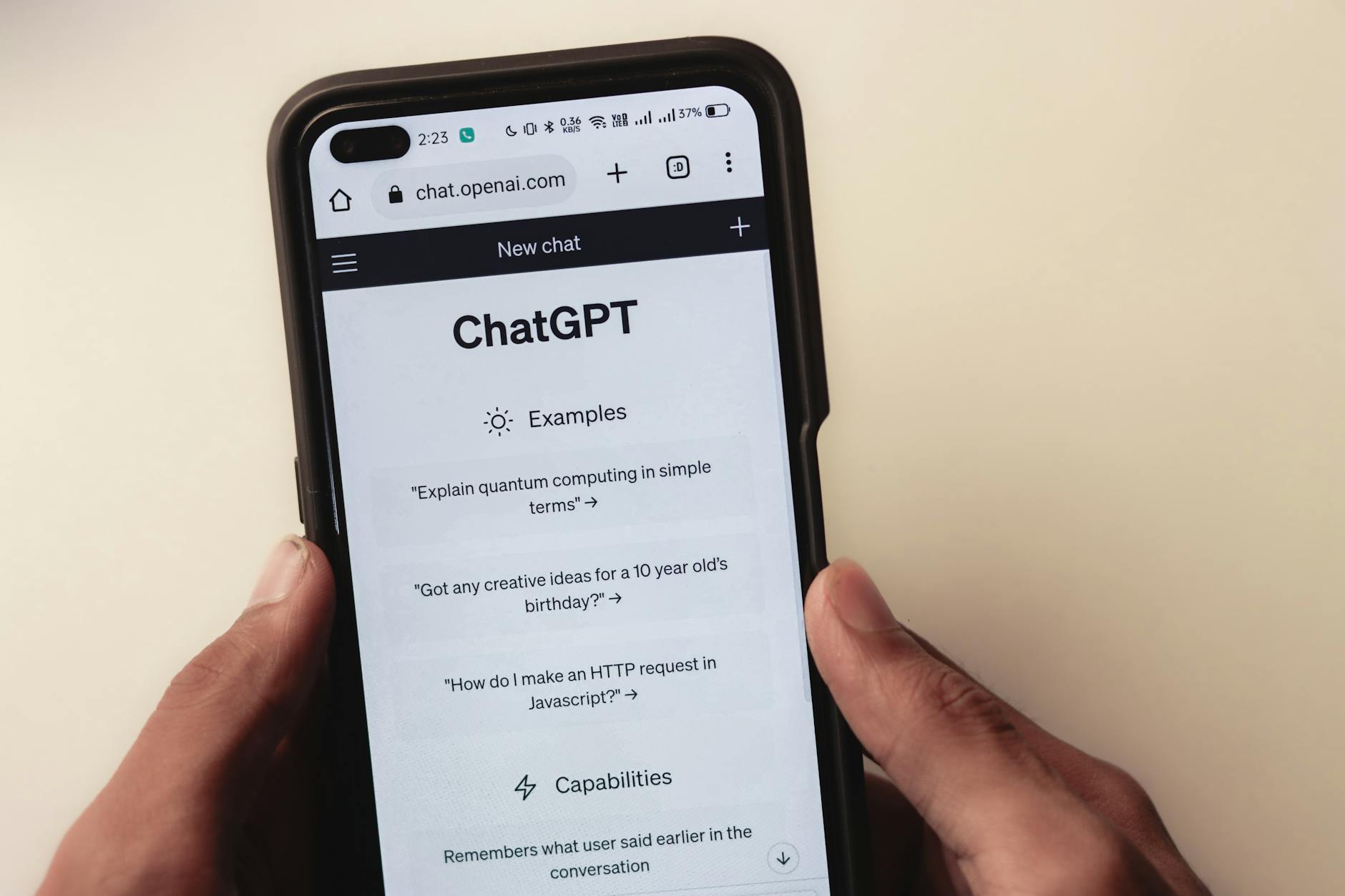
How to use ChatGPT for customer service automation?
ChatGPT can be integrated into customer service platforms to automate responses. It handles common inquiries, freeing up human agents for complex issues. Implemented efficiently, it can reduce response times by up to 60%, improving customer satisfaction. However, maintaining updated and accurate training data is essential to prevent misinformation.
What are the trade-offs of using AI in content creation?
AI tools offer speed and efficiency but may lack human creativity and emotion. While they can reduce content creation time by up to 70%, reliance on AI might lead to generic outputs. Balancing AI automation with human oversight ensures content remains engaging and personalized, addressing the unique needs of diverse audiences.
Recommended resources & next steps

Embarking on your journey to integrate AI tools for content creation can be transformative, but it’s crucial to have a structured plan. Here’s a comprehensive guide for your next seven days, ensuring you make informed decisions tailored to your role and budget.
-
Day 1: Self-assessment
Identify your primary content needs. Are you focusing on video, voice, images, or writing? Determine the specific role you play in content creation—office worker, developer, or solo operator. This will help you align your tool choice with your goals. -
Day 2: Budget Planning
Calculate your budget for AI tools. Remember, prices can vary significantly. For instance, video AI tools range from $20 to $300 per month, depending on features. Set a budget that you are comfortable with and can justify based on anticipated ROI. -
Day 3: Research & Shortlist
Dive deep into AI tools that cater to your specific needs. For video creation, examine tools like Synthesia or RunwayML for their advanced features such as real-time editing and avatar customization. Compare the pros and cons, looking at user reviews and case studies. -
Day 4: Trial & Test
Most AI tools offer free trials. Spend the day signing up for these trials. For example, if testing writing tools, try JasperAI and Copy.ai. Pay attention to their user interface, ease of integration, and support documentation. -
Day 5: Evaluation & Feedback
Evaluate your trial experiences. Create a checklist of must-have features and rate each tool accordingly. Gather feedback from peers or team members who also tested the tools, focusing on aspects like usability and output quality. -
Day 6: Decision & Purchase
Based on your evaluations, decide which AI tools to purchase. Remember to consider future scalability and any hidden costs in subscriptions. Choose tools that offer robust user support and regular updates. -
Day 7: Integration & Training
Begin integrating the chosen tools into your workflow. Invest time in training sessions—most platforms provide tutorials or webinars. Encourage your team to do the same, ensuring everyone is comfortable with the new tools.
Resource Ideas
- Search for online forums or user communities for specific AI tools to get firsthand user experiences.
- Read official documentation from AI tool websites to understand features and limitations.
- Explore case studies or success stories to see practical applications of these tools in your industry.
- Look for video tutorials on platforms like YouTube to visualize tool functionalities and user interfaces.
- Investigate webinars or live sessions hosted by tool creators to ask questions and get real-time answers.
One thing to do today: Spend 5 minutes jotting down your primary content creation goals and current challenges. This will serve as your guiding star throughout the week as you explore AI tools.
- ChatGPT — OpenAI, GPT
- Claude — Anthropic, Claude
- Gemini — Google, Gemini
- Perplexity — AI search, research
- Cursor — AI coding, code editor
- GitHub Copilot — pair programmer, autocomplete
- Notion AI — notes, workspace
관련 글 더 보기
- Cursor vs GitHub Copilot (2026): Code Completion vs “Agent” Workflows—What Matters Day-to-Day
- AI Automation Tools in 2026: Choose Your Stack Wisely with Zapier, Make, n8n, and More
- Notion AI Templates: Meeting Notes, Weekly Reports, and SOPs You Can Reuse in 2026
- Notion AI vs Obsidian (2026): Navigating Team Docs and Personal PKM
- Weekly AI Tool Updates (2026): Navigating Key Changes and Their Real Impact