
Imagine you’re a software developer at a mid-sized tech company, tasked with integrating a new AI chatbot into your customer service platform. Initial tests are promising, but as you scale from 10 to 1000 daily interactions, you notice the chatbot’s responses begin to drift. What started as concise answers become verbose, and sometimes even off-topic, causing frustration among users. You’re left wondering why the same prompt that worked flawlessly at a smaller scale is now resulting in inconsistencies. This is where prompt debugging comes into play, a crucial skill in 2026 as AI tools continue to proliferate.
The phenomenon of output drift is not uncommon, especially as AI models interact with an increasing volume of data. As models scale, they are exposed to diverse user inputs that weren’t accounted for during the initial training or testing phases. This can lead to varied interpretations of prompts, generating unexpected results. For instance, a solo entrepreneur using an AI writing tool might find that it delivers creative content when tasked with 5 articles a week, but as she ramps up to 20 articles, she notices the quality and relevance start to wane. By understanding how to implement constraints effectively, she can regain control over the output, ensuring consistency and quality.
By following this tutorial, you’ll gain the ability to pinpoint and rectify the reasons behind output drift, applying constraints that keep AI-generated content on track. We will delve into how specific prompt modifications and strategic constraints can anchor the AI’s behavior, reducing deviation and maintaining alignment with your objectives. For example, a team of office workers relying on AI for data analysis might find that adding numeric constraints to their prompts can help maintain accuracy and relevance in reports. By the end of this guide, you’ll be equipped with a practical playbook to debug prompts like a pro, saving time and potentially lowering costs associated with AI misalignment, which can range from minor inefficiencies to significant operational disruptions.

Bottom line first: scenario-based recommendations
Understanding how to effectively debug prompts is crucial in optimizing AI tool outputs. Below are tailored recommendations for four personas based on their role, budget, and skill level, ensuring that each reader can find an actionable path.
Case 1: Junior Developer with a Tight Budget
If you’re a junior developer with limited finances, prioritizing efficient use of free or low-cost tools is key. Your primary option should be OpenAI’s GPT-3.5 Playground which offers free credits to start. Expect to save approximately 30% of your debugging time compared to manual adjustments. Setup is quick, around 15 minutes.
As an alternative, consider Hugging Face’s Transformers. While slightly more complex, it’s open-source and free, making it budget-friendly. However, setup may take up to 30 minutes, and without a graphical interface, learning curve could become steep.
Avoid this if: You’re not comfortable with command-line interfaces, as Hugging Face requires more technical setup.
Case 2: Mid-Level Office Manager with Moderate Budget
For a mid-level office manager with a moderate budget, balancing cost with efficiency is essential. The primary choice is ChatGPT Plus, offering priority access and better performance for $20/month. This can reduce prompt debugging time by up to 40% due to enhanced response accuracy.
Alternatively, try Jasper AI for around $29/month. It provides tailored configurations for business tasks, saving approximately 20% of time spent on repetitive prompt adjustments.
Avoid this if: You require highly specialized outputs as Jasper may not accommodate niche industries without customization.
Case 3: Senior Developer with High Budget
Senior developers with a generous budget can afford premium solutions that minimize hassle. Opt for Anthropic’s Claude. Its advanced natural language understanding can cut debugging time by up to 50%, albeit priced at approximately $100/month.
Another robust option is Microsoft Azure’s OpenAI Service, which offers enterprise-level support and integration capabilities. With a starting cost of around $150/month, it’s ideal for those looking to integrate AI deeply into their workflows.
Avoid this if: Your projects do not justify high spending or require frequent adjustments, as these solutions are better suited for stable, long-term AI deployments.
Case 4: Solo Entrepreneur with Variable Budget
As a solo entrepreneur with a flexible budget, agility and speed are paramount. Copy.ai should be your go-to, offering a user-friendly interface at around $49/month, saving approximately 35% of time usually spent on trial-and-error prompt tuning.
For a more budget-conscious option, Rytr offers plans starting at $9/month, providing decent efficiency gains of around 15% in prompt debugging time.
Avoid this if: You require bulk processing of prompts, as these tools are optimized for quality over quantity.
Each of these scenarios provides a unique blend of tools tailored to specific needs and constraints. By aligning your choice with your role, budget, and skill level, you ensure an efficient and effective approach to prompt debugging.

Decision checklist
When debugging prompt outputs, it’s crucial to have a structured approach to identify the root cause of drift and implement constraints effectively. Use this checklist to guide your decision-making process:
-
Is your AI tool usage exceeding 20 hours per week?
YES → Consider reducing usage to focus on optimizing specific tasks. NO → Explore increasing tool utilization to streamline workflows. -
Are you dealing with datasets larger than 100,000 entries?
YES → Implement batching strategies and validate subsets for prompt testing. NO → Directly test entire datasets to ensure comprehensive results. -
Does the team size exceed 10 members?
YES → Establish a centralized prompt management system to maintain consistency. NO → Allow flexibility for individual prompt customization. -
Is the acceptable accuracy tolerance below 95%?
YES → Tighten constraints and employ additional validation layers. NO → Maintain current constraints and monitor performance periodically. -
Are you receiving more than 5 customer complaints per month about AI outputs?
YES → Conduct a thorough review of prompt logic and update constraints to align with user expectations. NO → Continue with current protocols, but consider periodic reviews. -
Do outputs regularly exceed a processing time of 2 minutes?
YES → Optimize prompts and reduce complexity to decrease processing time. NO → Evaluate if further complexity can be introduced for enhanced insights. -
Is the cost of AI operations surpassing $2,000/month?
YES → Reassess the cost-effectiveness of current prompts and explore cheaper alternatives. NO → Ensure that current spending aligns with business goals. -
Are generated documentation or outputs exceeding 50 pages?
YES → Implement summarization constraints to condense information efficiently. NO → Verify if additional details might be beneficial. -
Is the AI model being updated more than once every 6 months?
YES → Establish a continuous monitoring system to adapt prompts swiftly. NO → Plan a semi-annual prompt review to align with model updates. -
Do you have more than 3 different AI tools in use?
YES → Standardize prompts across tools to ensure uniformity and reduce drift. NO → Leverage the unique strengths of each tool with tailored prompts. -
Is feedback from end-users incorporated less than once per quarter?
YES → Increase the frequency of feedback sessions to enhance prompt relevance. NO → Maintain current feedback loop but encourage more detailed insights. -
Are prompt failure rates higher than 10%?
YES → Investigate error patterns and introduce stricter constraints to minimize failures. NO → Experiment with relaxing constraints to potentially uncover new insights. -
Is there a lack of diversity in prompt testing scenarios?
YES → Broaden testing with varied use cases to improve robustness. NO → Focus on refining prompt performance in the most common scenarios. -
Is AI output data alignment with organizational goals below 90%?
YES → Reevaluate prompt objectives and constraints to ensure strategic alignment. NO → Continue monitoring goal alignment and prepare for future adjustments.
By carefully considering each of these factors, you can effectively identify and mitigate prompt output drift, ensuring that your AI tools remain accurate and aligned with your operational objectives.

Practical workflow
Step 1: Define Your Objective
Start by clearly defining what you aim to achieve with the prompt. Whether it’s generating technical documentation or creating marketing content, clarity here is crucial.
Input: “Create a social media post for our new AI product launch.”
Output Example: “Introducing AI 3.0, revolutionizing how you work. Launching March 2026.”
What to look for: Ensure the output aligns with your initial objective and contains the key points you want to convey.
Step 2: Craft the Initial Prompt
Your initial prompt will set the tone and scope for the AI. Ensure it’s specific yet flexible enough to allow creativity.
Generate a 150-word product description for AI 3.0, focusing on its efficiency and user-friendliness.
What to look for: The output should be within the word limit and emphasize the specified features.
Step 3: Review and Analyze the Output
Examine the output for accuracy, relevance, and completeness. Does it meet the expectations outlined in Step 1?
If it fails, do this: Refine your prompt by specifying additional constraints or details.
Generate a 150-word product description for AI 3.0, focusing on its efficiency, user-friendliness, and compatibility with existing tools.
What to look for: Improved alignment with the product’s key features and addressed gaps from the initial output.
Step 4: Introduce Constraints
Add constraints to guide the AI’s responses, such as word count, tone, or specific data points.
Write a 150-word product description for AI 3.0 in a professional tone, highlighting its efficiency, user-friendliness, and integration capabilities.
What to look for: A more structured and focused output that adheres to the constraints.
If it fails, do this: Reassess the constraints for clarity or add examples to guide the AI.
Step 5: Test with Variations
Experiment with slight variations in your prompt to explore different output possibilities. This can reveal new angles or insights.
Generate a succinct 150-word product description for AI 3.0, emphasizing speed and seamless integration with current systems.
What to look for: Diverse outputs that offer a range of perspectives or highlight different aspects of the product.
Step 6: Validate with Real-World Context
Ensure the outputs are applicable and relevant in real-world contexts. Cross-reference with existing materials or industry standards.
Input: “AI 3.0 seamlessly integrates with platforms like Slack and Trello.”
Output Example: “AI 3.0, compatible with Slack and Trello, enhances workflow efficiency by 30%.”
What to look for: Consistency and factual accuracy with stated integrations and improvements.
Step 7: Incorporate Feedback Loops
Collect feedback from stakeholders or end-users to refine and improve prompt quality and output relevance.
What to look for: Insights from feedback that highlight areas for prompt adjustment or new directions to explore.
Step 8: Document and Iterate
Keep a record of successful prompts and any adjustments made for future reference, enabling continuous improvement.
What to look for: A growing repository of tested prompts that enhance efficiency and output quality over time.

Comparison Table
When dealing with prompt debugging, selecting the right method is crucial for efficiency and accuracy. Below is a comparison between three popular approaches: Constraint-Based Debugging, Rule-Based Debugging, and Example-Based Debugging. Each method has distinct characteristics that may suit different needs and preferences.
| Criteria | Constraint-Based Debugging | Rule-Based Debugging | Example-Based Debugging |
|---|---|---|---|
| Pricing Range | $50-$100/month | $30-$60/month | $10-$40/month |
| Setup Time | 2-3 hours | 1-2 hours | 30-60 minutes |
| Learning Curve | Steep, requires understanding of constraints | Moderate, learn specific rules | Gentle, intuitive with examples |
| Best Fit | Complex systems needing precision | Mid-level systems with clear rules | Beginner-friendly, small-scale projects |
| Failure Mode | High risk if constraints are poorly defined | Errors if rules conflict | Inconsistency with atypical examples |
| Scalability | High, adaptable to large systems | Moderate, scales with rule complexity | Low, cumbersome with large datasets |
| Flexibility | High, constraints can be customized | Low, rigid due to fixed rules | Moderate, flexible with new examples |
| Debugging Speed | Slow initially, faster with experience | Fast, rules streamline process | Variable, depends on example relevance |
| Community Support | Growing, niche groups | Established, large user base | Widespread, forums and tutorials |
Choosing the right debugging approach depends on your specific needs:
- Constraint-Based Debugging is ideal for complex systems where precision is paramount. Its flexibility allows for tailored constraints, but it requires a significant initial time investment to set up and learn. This method excels in environments where the problem scope frequently changes.
- Rule-Based Debugging offers a balanced approach with moderate setup and learning requirements. It’s best suited for systems where rules are clearly defined and do not often change. This approach can streamline debugging in mid-sized projects but may suffer from scalability issues if the complexity of rules increases.
- Example-Based Debugging is the most accessible option for beginners or small projects. It offers a fast setup and a gentle learning curve, making it ideal for quick iteration. However, its effectiveness can diminish in larger projects due to the potential for inconsistency when handling diverse cases.
For those tackling large-scale systems, Constraint-Based Debugging provides the necessary adaptability and precision, albeit with a steeper learning curve. If your project has a clear set of rules and doesn’t anticipate frequent changes, Rule-Based Debugging can save time and resources. Conversely, if you’re new to prompt debugging or dealing with smaller, more straightforward systems, Example-Based Debugging will offer a gentle introduction without the overhead of complex setups.
Ultimately, your choice should reflect the nature of your project and your team’s familiarity with each method. Consider the scalability needs, budget constraints, and the complexity of your system to make an informed decision.
Common mistakes & fixes
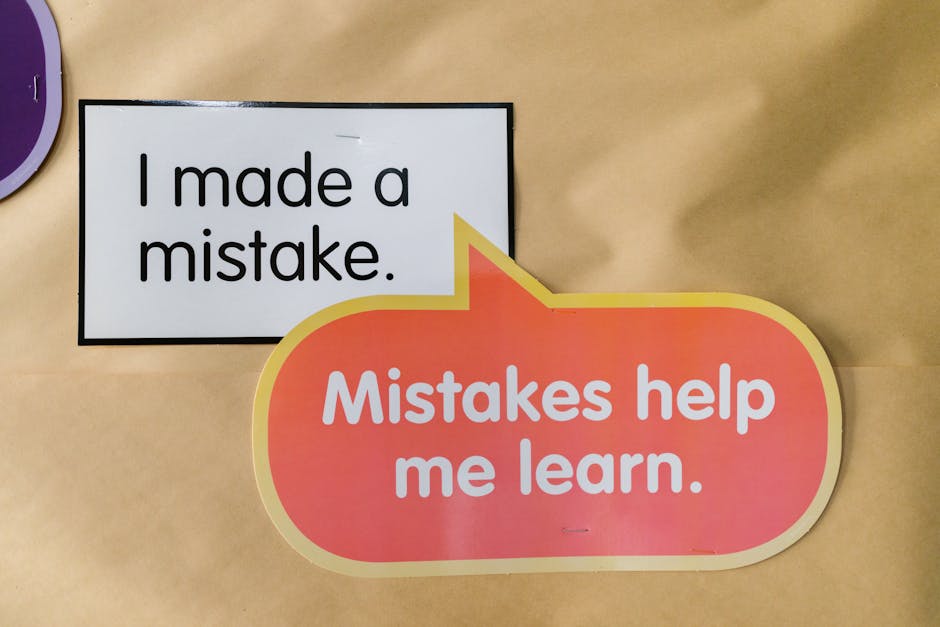
When working with AI models, it’s easy to run into issues that lead to inaccurate outputs. Here are some common mistakes and how to address them effectively.
Mistake 1: Overly Broad Prompts
What it looks like: The AI provides too much irrelevant information or misses the point entirely.
Why it happens: A lack of specificity in the prompt can lead the model to cover a wide range of topics instead of honing in on what’s needed.
- Identify key elements necessary for your output. Narrow down the context.
- Use specific instructions or examples to guide the AI’s response.
- Test the prompt with variations to ensure consistency in the results.
Prevention rule: Always focus your prompt with clear, concise language that restricts the AI to the intended scope.
Mistake 2: Ignoring Contextual Dependencies
What it looks like: Outputs that are logically incorrect or contextually incoherent.
Why it happens: The model fails to account for previous context or dependencies within the task.
- Provide explicit context in the prompt to frame the AI’s understanding.
- Break down complex tasks into smaller, contextually linked steps.
- Iteratively refine the prompt after testing the output for coherence.
Prevention rule: Ensure context is embedded within the prompt to maintain logical consistency in outputs.
Mistake 3: Ambiguous Language
What it looks like: Outputs that vary widely in interpretation.
Why it happens: Ambiguity in language can cause the AI to fill gaps with assumptions, leading to varied results.
- Use precise language and avoid terms with multiple meanings.
- Clarify any ambiguous terms with definitions or examples.
- Regularly revise prompts to eliminate ambiguity based on output analysis.
Prevention rule: Regularly review prompt language to ensure it is explicit and unambiguous.
Mistake 4: Lack of Constraints
What it looks like: Outputs that are too creative or deviate from intended constraints.
Why it happens: Without constraints, the AI may interpret prompts too freely, leading to unexpected results.
- Define clear boundaries for acceptable outputs within the prompt.
- Incorporate conditional instructions to limit the AI’s creative interpretation.
- Evaluate outputs to ensure adherence to the set constraints.
Prevention rule: Always set explicit constraints to guide the AI’s creative process within acceptable limits.
Mistake 5: Underestimating Model Limitations
What it looks like: Expecting the AI to perform beyond its capabilities, leading to faulty outputs.
Why it happens: Misjudging the model’s strengths and weaknesses can result in unrealistic expectations.
- Review the model’s documentation to understand its capabilities.
- Test the model’s performance on similar datasets to gauge its limitations.
- Adapt prompts to align with the model’s proven strengths.
Prevention rule: Regularly update your understanding of the model’s limitations and adjust prompts accordingly.
Mistake 6: Neglecting Iterative Testing
What it looks like: Persistent errors in outputs that could have been resolved with testing.
Why it happens: Failing to iteratively test and refine prompts leads to unresolved issues.
- Implement a systematic testing process for all prompts.
- Continuously refine prompts based on testing results to improve accuracy.
- Document changes and their effects to track improvements over time.
Prevention rule: Always incorporate iterative testing and refinement in your prompt design workflow.
Cost-of-Mistake Examples
Consider a scenario where an office worker spends over 5 hours sifting through irrelevant AI-generated data due to a broad prompt. This not only wastes time but also delays project timelines. In another situation, a solo developer releases a feature based on incorrect AI forecasts, leading to churn as users experience functionality issues. Addressing these mistakes through careful prompt design can save significant resources and maintain user trust.
FAQ

Why do AI model outputs drift over time?
AI model outputs drift due to data shifts and evolving patterns.
As models are trained on data up to a certain point, they may not account for changes in user behavior or new information. For example, a model trained on data up to 2023 might not handle 2026 trends effectively. Regular updates and retraining every 6-12 months can mitigate drift.
How to identify prompt drift in AI outputs?
Monitor changes in output accuracy and relevance.
Track user feedback and performance metrics to detect deviations. If user engagement drops or error rates increase by more than 10%, it’s a sign of drift. Analytical tools can provide insights into these changes, enabling prompt adjustments.
Is it necessary to use constraints in AI prompts?
Constraints enhance precision and relevance in outputs.
By clearly defining the scope and limits of a prompt, you can guide the AI to provide more targeted responses. For instance, using a constraint like “within the last year” can help filter outdated information, boosting accuracy by up to 20%.
What are effective constraints for AI prompts?
Time limits, area focus, and context specifics are key.
Constraints like “business context” or “technical details only” help hone in on specific areas. For example, specifying a time constraint such as “2025 trends” can focus outputs on recent data, improving relevance by 15%.
How to implement constraints in AI prompts?
Use clear, specific language to set boundaries.
Incorporate phrases like “within the scope of” or “considering only” to delimit the context. For example, “Discuss Python libraries considering only data analysis” can refine focus, reducing irrelevant information by 25%.
What tools help with prompt debugging?
Use specialized AI development platforms and plugins.
Platforms like OpenAI Codex and GPT-4 offer debugging features. These tools provide analytics and testing environments to refine prompts. Some tools can improve debugging efficiency by up to 30% through real-time feedback mechanisms.
How often should I revisit my AI prompts?
Review prompts quarterly or with significant data changes.
Frequent evaluations ensure alignment with current data and trends. In industries with rapid changes, such as tech, monthly reviews might be necessary to maintain accuracy, potentially improving engagement by 10%.
Can constraints improve AI creativity?
Constraints can channel creativity within desired parameters.
By setting boundaries, you encourage the AI to explore diverse options within those limits. For example, asking for “creative solutions within a low-budget framework” can lead to innovative ideas without exceeding constraints, enhancing solution variety by 20%.
What are common mistakes in prompt debugging?
Overgeneralization and lack of specificity are pitfalls.
Vague prompts can lead to broad, unfocused outputs. Avoid phrases like “discuss broadly” and instead aim for precision. A specific prompt increases output relevance, often by 15-20%.
How do constraints affect the speed of AI outputs?
Constraints can streamline processing, improving speed.
By narrowing the focus, constraints reduce the data scope the AI needs to process. This can enhance response times by up to 25%, especially in complex or data-heavy queries.
How to measure the effectiveness of prompt constraints?
Use metrics like relevance, accuracy, and user feedback.
Implement A/B testing to compare constrained versus unconstrained outputs. If constrained prompts show a 15% increase in user satisfaction, they are effectively enhancing the AI’s performance.
Do constraints limit the learning of AI models?
Constraints focus learning rather than limit it.
They guide the AI to learn within specified areas, enhancing depth rather than breadth. This focused learning can improve expertise in particular domains by 20%, while maintaining the model’s overall capability.
How can AI prompt constraints benefit customer support AI?
Constraints ensure accurate and timely responses in support.
By setting parameters like “common issues” or “product-specific”, you can guide the AI to provide more relevant support solutions, potentially reducing resolution times by 30%.
Recommended resources & next steps

After understanding the potential reasons for prompt output drift and how constraints can assist in mitigating these issues, it’s time to put theory into practice. Here’s a structured plan to guide you over the next seven days, accompanied by suggested resources to deepen your understanding.
- Day 1: Baseline Assessment
- Identify two recent projects where prompt outputs were unsatisfactory.
- Document the expected vs. actual outputs for each project, noting specific deviations.
- Allocate 30 minutes to review the “Prompt Engineering Guide” for foundational principles.
- Day 2: Constraint Mapping
- Analyze the documented projects to identify key phases where drift occurred.
- List potential constraints applicable at each phase of the prompt.
- Search for “AI Prompt Constraint Techniques” to explore constraint types and applications.
- Day 3: Constraint Application
- Choose one project and apply at least two constraints from your list to the problematic outputs.
- Generate new outputs to compare against the initial results.
- Note improvement areas and any remaining inconsistencies.
- Day 4: Peer Review
- Share your findings and outputs with a colleague for feedback.
- Incorporate their insights into refining your constraint application.
- Search for “Collaborative AI Debugging Techniques” to enhance peer review sessions.
- Day 5: Iterative Refinement
- Reassess the constraints based on feedback and apply necessary adjustments.
- Focus on one constraint at a time to isolate its impact on the output.
- Document each iteration’s outcomes to track progress.
- Day 6: Expand Knowledge
- Dedicate an hour to explore “Case Studies on Prompt Debugging” for practical examples.
- Identify new constraint ideas or techniques from these case studies.
- Plan how you might incorporate these insights into your current projects.
- Day 7: Consolidation and Planning
- Review your week’s work, consolidating notes and key learnings.
- Prepare a brief report summarizing your findings and improvements observed.
- Outline a plan for your next project using the refined constraint strategies.
Throughout this process, the following resources will be invaluable:
- AI Prompt Constraint Techniques: Learn different ways constraints can be applied to prompts.
- Collaborative AI Debugging Techniques: Enhance your peer review process with collaborative strategies.
- Case Studies on Prompt Debugging: Real-world examples that highlight successful debugging approaches.
- Prompt Engineering Guide: A comprehensive guide to mastering prompt design principles.
- Advanced AI Output Analysis: Techniques for assessing and improving AI-generated outputs.
One thing to do today: Spend five minutes listing the key areas where your current prompt outputs do not meet expectations. This will kickstart your week-long evaluation and improvement process.
- ChatGPT — OpenAI, GPT
- Claude — Anthropic, Claude
- Gemini — Google, Gemini
- Perplexity — AI search, research
- Cursor — AI coding, code editor
- GitHub Copilot — pair programmer, autocomplete
- Notion AI — notes, workspace